How to download and prepare data
This tutorial will guide you on how to download and prepare the data for use with SpaHDmap.
There are two primary methods to load the data: 1. loading data using scanpy and 2. loading data from file paths.
Method 1: Loading data using scanpy (recommended)
The easiest way to get started is by using the scanpy library to directly download and load the data as an Anndata object from 10X Genomics. This method will automatically download into the folder data/ in your current working directory, and by setting include_hires_tiff=True, it will also download the high-resolution image associated with the dataset.
import scanpy as sc
import SpaHDmap as hdmap

# Specify the 10x Genomics dataset ID
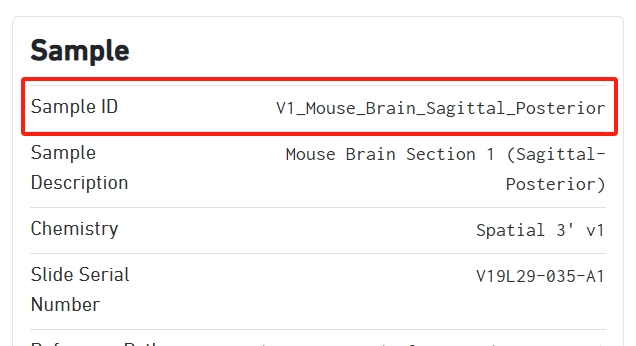
section_id = 'V1_Mouse_Brain_Sagittal_Posterior'

# Download the data using scanpy. By setting `include_hires_tiff=True`, it will also download the high-resolution image.
# The data will be saved to a local cache directory (e.g., './data/V1_Mouse_Brain_Sagittal_Posterior/')
adata = sc.datasets.visium_sge(section_id, include_hires_tiff=True)

# The path to the high-resolution image is stored in the AnnData object
image_path = adata.uns["spatial"][section_id]["metadata"]["source_image_path"]

# Now, you can use SpaHDmap's preparation function
st_data = hdmap.prepare_stdata(adata=adata,
                               section_name='mouse_posterior',
                               image_path=image_path)
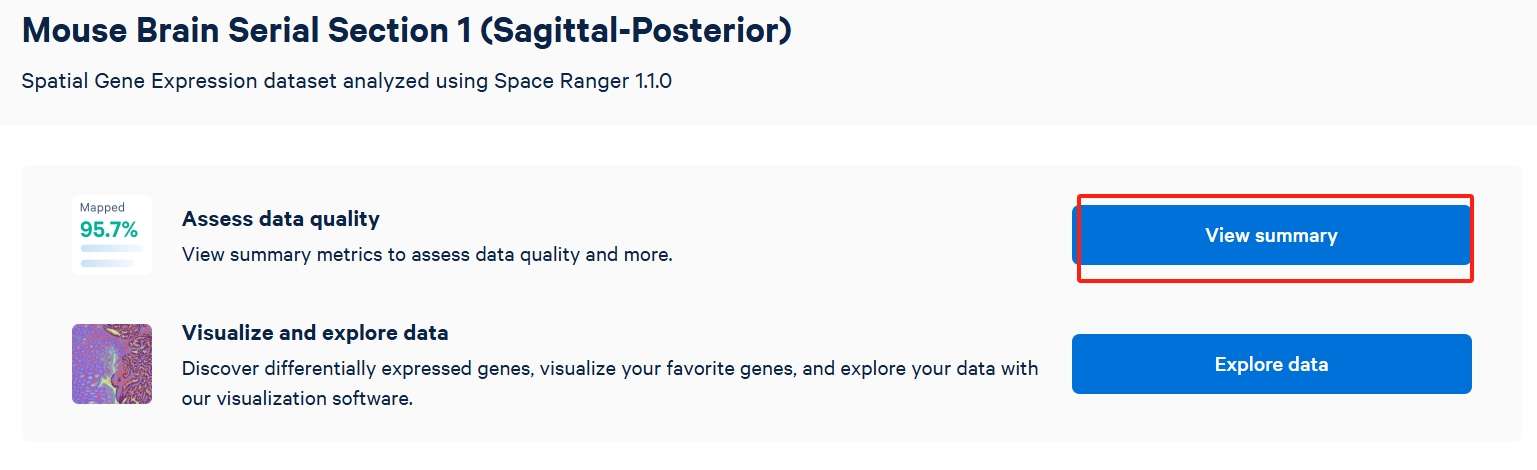
The section id can be found in the summary of the dataset on the 10X Genomics website.
Method 2: Loading data from file paths
Alternatively, you can manually download the necessary files from the 10X Genomics website or use your own data source, just provide the necessary file paths to the prepare_stdata function in SpaHDmap.
There are three required files for each dataset:
Spatial coordinate data:
tissue_positions_list.csvFeature / barcode matrix:
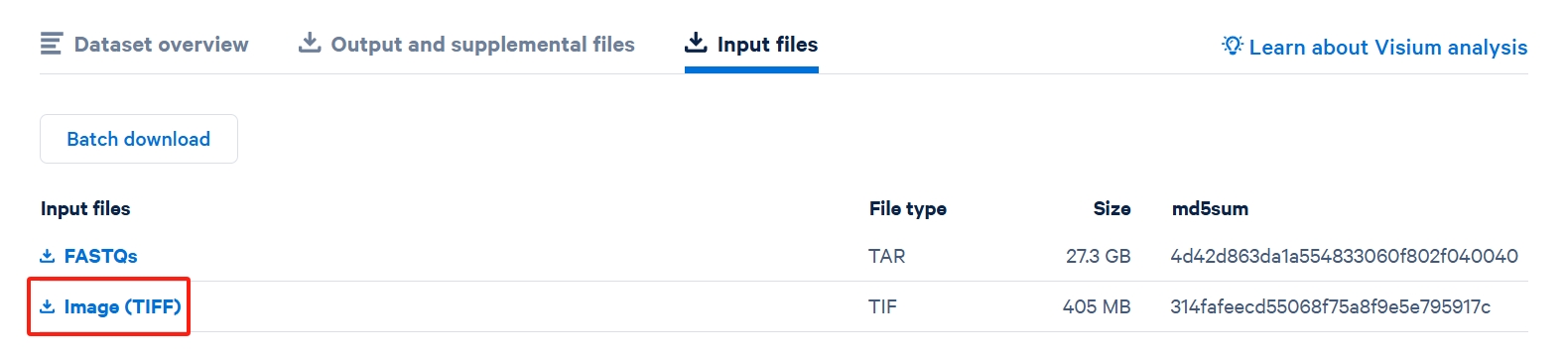
filtered_feature_bc_matrix.h5Image (TIFF): The high-resolution tissue image file.
Here shows which data should be downloaded from 10X Genomic website.

Once downloaded, you can organize them into a directory and use the following code:
import SpaHDmap as hdmap

# Define the paths to your downloaded files
data_dir = './data/V1_Mouse_Brain_Sagittal_Posterior/'
image_path = f'{data_dir}image.tif'
spot_coord_path = f'{data_dir}spatial/tissue_positions_list.csv'
spot_exp_path = f'{data_dir}filtered_feature_bc_matrix.h5'

# Load the data using file paths
# Note: You must provide the spot radius in pixels for this method.
st_data = hdmap.prepare_stdata(section_name='mouse_posterior',
                               image_path=image_path,
                               spot_coord_path=spot_coord_path,
                               spot_exp_path=spot_exp_path,
                               radius=45) # This value depends on the dataset
Download datasets in tutorials from Google Drive
For convenience, we have also uploaded all the datasets used in this tutorial to Google Drive. You can download all these datasets and store them in the data/ directory of your project.
10X Visium mouse posterior brain sagittal section
Sample Name (in paper) |
Data File Name |
|---|---|
MPBS - 01 |
V1_Mouse_Brain_Sagittal_Posterior.zip |
MPBS - 02 |
V1_Mouse_Brain_Sagittal_Posterior_Section_2.zip |
10X Visium mouse brain coronal section
Sample Name (in paper) |
Data File Name |
|---|---|
MBC - 01 |
V1_Adult_Mouse_Brain_Coronal_Section_2.zip |
10X Visium sonic hedgehog medulloblastoma
Sample Name (in paper) |
Data File Name |
|---|---|
Palbociclib - treated sample A |
Palbocilib_A.zip |
Palbociclib - treated sample B |
Palbocilib_B.zip |
Untreated sample C |
Control_C.zip |
Untreated sample D |
Control_D.zip |
Additionally, a geneset file for GO enrichment analysis, GenesetForGO.rds, is also available for download.